Babyseeders
A mobile marketplace connecting plant owners with local caregivers — built as my Computer Programmer Analyst capstone at Durham College.
- Stack — React Native, ASP.NET Core, MS SQL Server
- Role — Project manager and full-stack developer
- Team — Brady (backend), Nick (frontend), and me
- Status — Shipped as capstone, ongoing development for App Store
The problem
Plant owners need care for their plants when they can't provide it themselves — vacations, hospital stays, work travel — and occasionally need help when they don't know how to care for a particular plant. There's no good way to connect them with someone local who can step in.
Babyseeders is the marketplace for that hand-off. Plant owners book caregivers. Caregivers earn money doing something they enjoy.
My role
I was the team's project manager and a full-stack contributor. I moved across the stack wherever the team needed help, building features on both the React Native client and the ASP.NET Core API, coordinating Brady and Nick's work as we converged on each milestone. In retrospect this was both a strength (I understood the whole system) and a weakness — see "What I'd do differently" below.
Tech decisions
React Native — none of us had used it before, and it's the cross-platform mobile standard. We treated the project as both a deliverable and a learning exercise.
ASP.NET Core + MS SQL Server — we knew we wanted MSSQL for the database (familiar from coursework), so going full Microsoft on the backend kept the toolchain coherent.
Geolocation was the trickiest piece. The original design required searching for active caregivers near the plant owner, which meant resolving "near me" against a moving set of caregiver locations. We got it working, but the deeper issue with that model is what I'd change next.
What I'd do differently
The booking flow was built around caregiver search: a plant owner opens the app, looks for caregivers nearby, and sends a request to one of them. This works fine when the marketplace is dense — plenty of caregivers online in any given area — but it fails the early-stage case. If a plant owner opens the app and there are zero caregivers near them, they hit a dead end and put the app down.
The better model is job postings. The plant owner creates a posting in an OPEN_POSTING state that lives for a predetermined window or until a caregiver claims it. Caregivers browse postings in their area when they come online and pick up the ones that fit their schedule. The asymmetry is the whole point: the plant owner doesn't need a caregiver to be online right now, just eventually. It removes the cold-start failure mode and inverts the discovery direction in the way that actually helps a young marketplace grow.
This is the change I'd make first if we kept developing the app for the App Store.
The other thing I'd do differently is process: we spent substatial time leading up to week 7 prepping for an alumni panel showcase and rushed to get something demoable, which meant we shortchanged the upfront work of nailing down our schemas and API contracts. Locking those down earlier would have saved us real time later when frontend and backend assumptions diverged.
What came out well
I'm proud of the polish and feature density of the final app, but the booking flow specifically is the thing I'd point at. It's modeled as a state machine over six statuses:
type BookingStatus =
  | "REQUESTED"
  | "ACCEPTED"
  | "IN_PROGRESS"
  | "COMPLETED"
  | "CANCELLED"
  | "ARCHIVED";
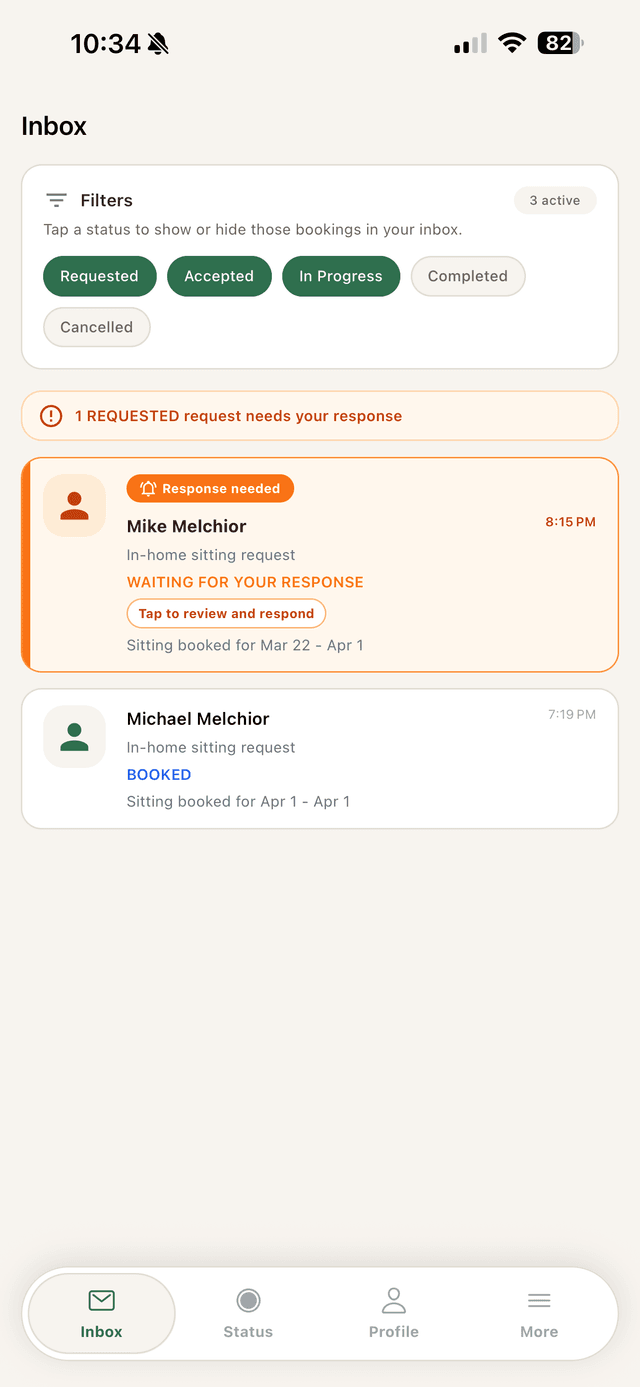
Each status unlocks a different set of features. When a booking is REQUESTED, the sitter sees it surfaced in their inbox with a clear call to action:
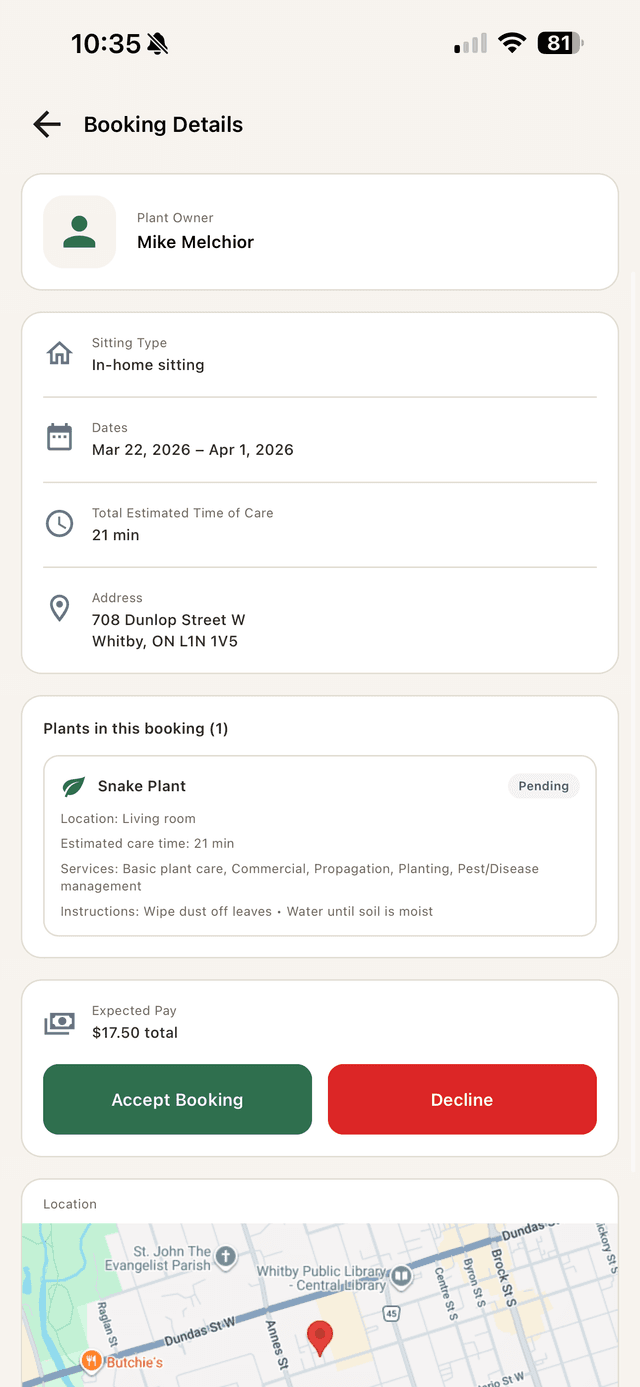
Tapping in opens the full booking detail — plant info, dates, location, expected pay, and the accept/decline actions that move the booking into the next state:
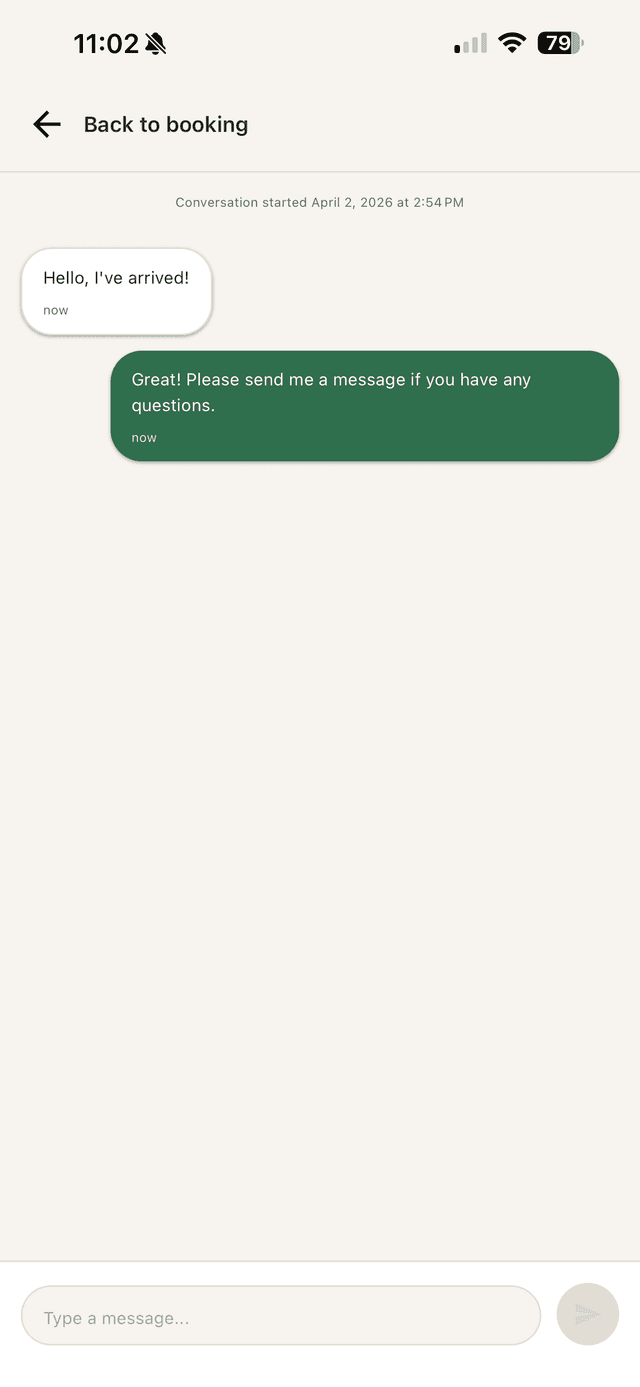
Once ACCEPTED, both parties unlock instant messaging tied to the booking — coordinating arrival, asking clarifying questions, sharing updates:
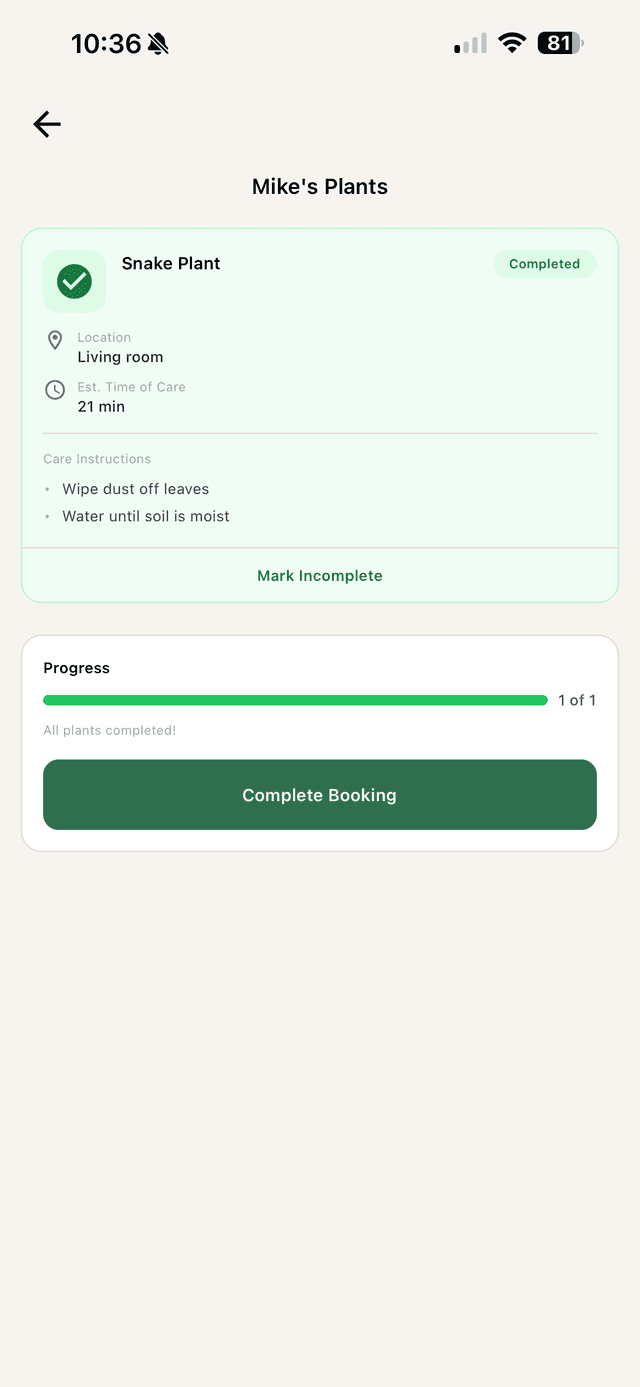
During IN_PROGRESS, the sitter works through per-plant care instructions and marks each plant complete. When everything's done, the booking transitions to COMPLETED:
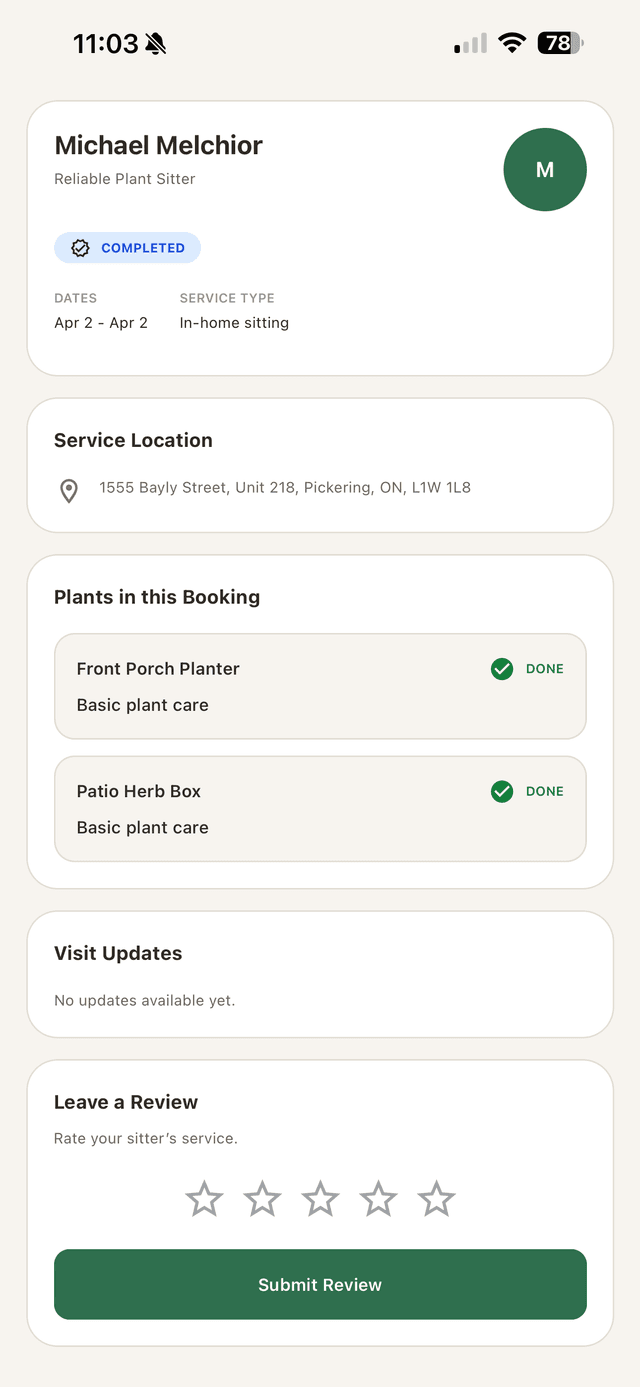
After completion, the plant owner can leave a review — closing the loop on the booking and feeding into the sitter's reputation:
Modeling the booking as a state machine kept the UI honest. Every screen knew exactly which actions were valid given the current status, so we never had to write defensive checks like "is the chat button supposed to be visible right now?".
What I took from this
The product instinct (job-posting model > caregiver-search) is the lesson I keep coming back to. It's easy to build the obvious version of a marketplace; it's harder to notice that the obvious version has a structural problem the user will only discover after you've shipped. Catching that before the next iteration is the work.
The team lesson is simpler: contracts before code. If the schemas and API surface are agreed up front, parallel work actually parallelizes. If they aren't, two people are eventually going to merge into a third person's time.